
To invite employees via a bulk import, you will need, among other things, each employee's email address and employee number. You can export this information from the old FiscFree platform.
Instructions: Export employee data- Log in to the old FiscFree platform as an administrator.
- Go to Settings > Accounts.
- Click Employee Overview.
- Click Export.
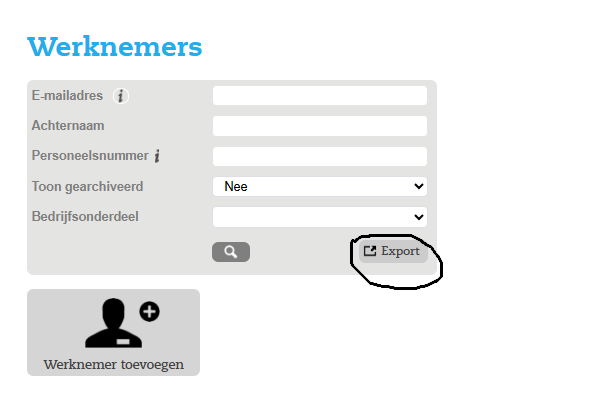
- An Excel file containing employee data will be downloaded automatically.
In this file, you will find the employees' email addresses and employee numbers. You can use this information to complete the CSV file for the bulk import.
Which data is not included in the export?The start date and language are not included in the Excel file exported from the old platform.
- Start date: Retrieve this from your payroll or HR system. If the start date is unavailable, you can use today's date.
- Language: This must be completed later in the CSV file. Use:
nlfor Dutchenfor English
Once you have exported the data, continue with the Invite employees via a bulk import instructions to complete and import the CSV file.
Geef uw feedback over BizChat